

Here at IU, we ask people not to send photos over 500kb. We’re all volunteers, and we have small, free email accounts. Therefore, large attachments cause a problem. If you’ve ever received a failure message from us stating “mailbox full” – that’s because someone sent us a large attachment which filled our mailbox to capacity. Naughty author!
We’ve run a couple of articles on this: Tutorial: Resizing Pictures and How to Resize a Photo – Mac Edition. If you don’t have the software programs mentioned in those tutorials, here’s an easy way to make an image smaller when you need to email it to someone. (In fact, you can even use this to email images to yourself if you need to resize it for something you’re doing.) It’s super easy, too. Continue reading “How to Reduce Image Sizes Using Outlook”
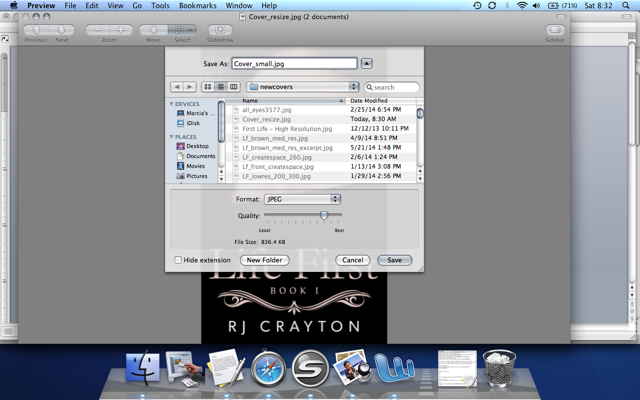
 Why in the world could I possibly need to know how to resize a picture? you ask. Well, Skippy, it goes like this. A reporter or blogger or some other nice person who wants to feature your book asks you for a jpg image of your book cover – or a head shot – no larger than 500kb. But the only image you have of yourself looking all sexy and authory is 4 megabytes. So you send it anyway. BAD AUTHOR!!!! That’s a really good way to annoy someone who’s trying to help you. But…how do I make the image smaller? you say. Well, I’ll show you. Aren’t you glad you asked?