 Guest Post
by Jacqueline Hopkins
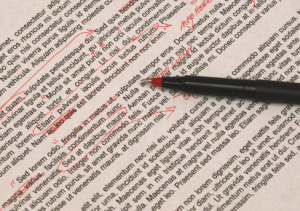
You’re an author and you typed your manuscript in Microsoft Word. You’ve sent your work out to an editor. You get it back and it has different color text mixed in with your black words and colored text boxes in the far right margin. It’s a mess you can’t make heads nor tails of. You ask yourself, “What on earth has the editor done to my masterpiece?”
If your editor uses the latest version of the software, they will have used the ‘New Comments’ features and ‘Track Changes’ under the REVIEW tab to edit your work. If you are into self-editing your work before you send it off to an editor, you can turn track changes on and use it yourself. Just go to the menu bar, click on REVIEW, then click ‘track changes’ to turn it on, and clicking it again turns it off. When it is on, if you type a change it will appear in a different color. It also strikes through words you want to delete using the delete key.
Now, here is how to accept the editor’s changes, reject them, and get rid of all those comments boxes. Continue reading “Working with Your Editor’s Edits in MS Word”
 Periodically a new blog post or article surfaces that complains bitterly about the proliferation of indie authors, the inundation of the unwashed that is swamping Amazon and muddying the waters for the traditionally-published. This almost always boils down to two major points: (1) just ANYbody can self-publish (which obviously is very true but sounds suspiciously like sour grapes to me) and (2) indie books sometimes (maybe more than sometimes) need more editing than they get. Very often these posts bleat about the fact that if authors wait and work to be picked up by a traditional house, they will have the benefit of thoughtful, detailed, professional editing and will, therefore, produce better books.