
Making a Book Trailer with Windows Movie Maker – Step #2 Adding Music

books-moviesLast month’s article was a tutorial on how to make a video trailer with Windows Movie Maker (WMM). Today we will cover adding music to and finalizing your video.

Lots of sites offer royalty-free music (and images) that you can use for your video trailer. You can find out more about these on the Indies Unlimited Video Trailer resource page. I used Incompetech to download royalty free music for my six book trailers. Kevin MacLeod has done an excellent job structuring that site to help find the type of music you are looking for. You can easily play music there before downloading. Once you click on the download, it places the music on your computer. Kevin doesn’t charge for the music, but donations are certainly appreciated!

Go to your project by opening Windows MovieMaker. You should see the screen below for a project in process. Continue reading “Making a Book Trailer with Windows Movie Maker – Step #2 Adding Music”
Throw Me to the Wolves – or Not

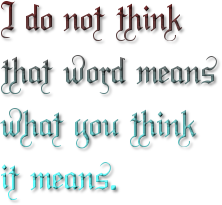
inconceivableA few months ago, I was casting around my brain for a title for a music-related post on my blog, and came up with “Begging the Musical Question” – a play on the well-known phrase begging the question.

But something about the way I wanted to use the phrase nagged at me, so I looked up what it actually meant. I had thought the begging in begging the question meant something along the lines of “posing.” Boy, was I wrong. Begging the question – according to my copy of Brewer’s Dictionary of Phrase and Fable – is to “assume a proposition which, in reality, involves the conclusion” – in other words, to use circular logic. The entry in Brewer’s provides this example: if you say that parallel lines will never meet because they are parallel, you’ve begged the question. Continue reading “Throw Me to the Wolves – or Not”

Book Formatting Checklist

list-clipart-list-mdOnce we’re done writing a book, it’s time for eBook and print edition formatting. Going back through again and again to check all the small details and make sure it’s all correct can be a frustrating time sink. I’ve found that if I try to check on everything as I read back through, I tend to miss things, so I developed a process where I go through once to check on just the headers, another time to check just the footers, a third time to check on just the formatting of the chapter titles, then again for whatever else might be required in that particular book. Very time-consuming.
It got me thinking about a post RJ Crayton wrote a while back about doing a story bible. The story bible is more about the content of the book: the names, ages, descriptions of the characters, relevant plot points, dates, locations — anything, really, that you need to keep track of while you’re writing. I realized we could do a similar thing for the double-checking process at the end, and it was really brought home to me when I was beta-reading a book for a friend and I found glaring inconsistencies throughout. One chapter header was bold, the next was not; one chapter header had two blank lines after it, the next had none. I realized a detailed checklist could help a writer go back through the book and catch (hopefully) every little formatting slip-up that sometimes slips in. Continue reading “Book Formatting Checklist”

Tutorial: How to Create Image Quotes

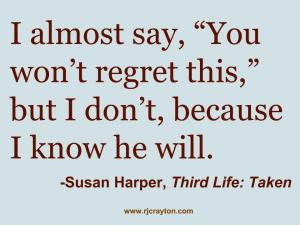
regret_tlt_quoteYesterday, we talked about using image quotes as a way to get your book-related text out on image-based sites. Today, we’ll go through a very simple method of creating these quote images.

You can make your own image quotes on programs like GIMP (free download), PhotoShop (a paid program), or even PowerPoint. You just need a program that allows you to add a background color and save your document as a JPEG. (You can even use the techniques in this MS Publisher book cover tutorial.) The process is not particularly difficult, so I’m going to offer some barebones instructions on how to do this on Google Drive, which is free, internet-based software available to anyone with a Gmail account. Continue reading “Tutorial: How to Create Image Quotes”